Planning a legal truck route is more than drawing a line on a map. A property-carrying driver in the US is governed by federal Hours-of-Service rules — hard limits on how long they can drive, how long they can be on duty, and when they must rest. Most first attempts at a trip planner ignore this; they hand you a route and leave the law as an exercise for the driver.
ELD Trip Planner does the whole job. It takes a driver's trip details and produces a complete, compliant plan: an interactive route map with every required stop, FMCSA daily log sheets filled out for each day of driving, and a summary of days, driving hours, and cycle hours remaining. It's a full-stack build — a Django REST API on the back, a React (Vite) app on the front — and it's live at the link in the sidebar.
Watch the walkthrough
Three minutes, end to end: entering a trip, choosing a route, and reading the generated plan and log sheets — recorded on the live deployment.
Four inputs, one plan
The entire product runs on the four questions a dispatcher would ask:
The current location starts the clock. Deadhead miles to the pickup count against the same federal limits as loaded miles — the engine doesn't care whether the trailer is full.
The pickup location, budgeted at a flat 1 hour on duty (not driving) — enough for paperwork and a dock that's running late.
The drop-off, with its own 1-hour on-duty block. Between these two points is everything the plan has to make legal.
Current cycle used — how many of the 70 rolling hours this 8-day window has already burned. A driver at 60/70 gets a very different plan than one fresh off a restart.
Everything else is derived. The app geocodes the three locations, asks the Google Directions API for real routes, and runs the result through the Hours-of-Service engine. There is deliberately no database — each request is a pure input → output calculation, which keeps the system stateless, fast, and trivially safe to scale.
The Hours-of-Service engine
The heart of the app is hos.py — an engine that walks the route minute by minute and enforces every limit in 49 CFR §395 for property-carrying drivers:
- 11-hour driving limit — no more than 11 hours behind the wheel per shift.
- 14-hour on-duty window — once a shift starts, driving must end within 14 hours, breaks included.
- 30-minute break — required after 8 cumulative hours of driving.
- 10-hour reset — 8 hours sleeper berth plus 2 hours off duty before the next shift.
- 70-hour / 8-day cycle — the rolling weekly ceiling across all on-duty time.
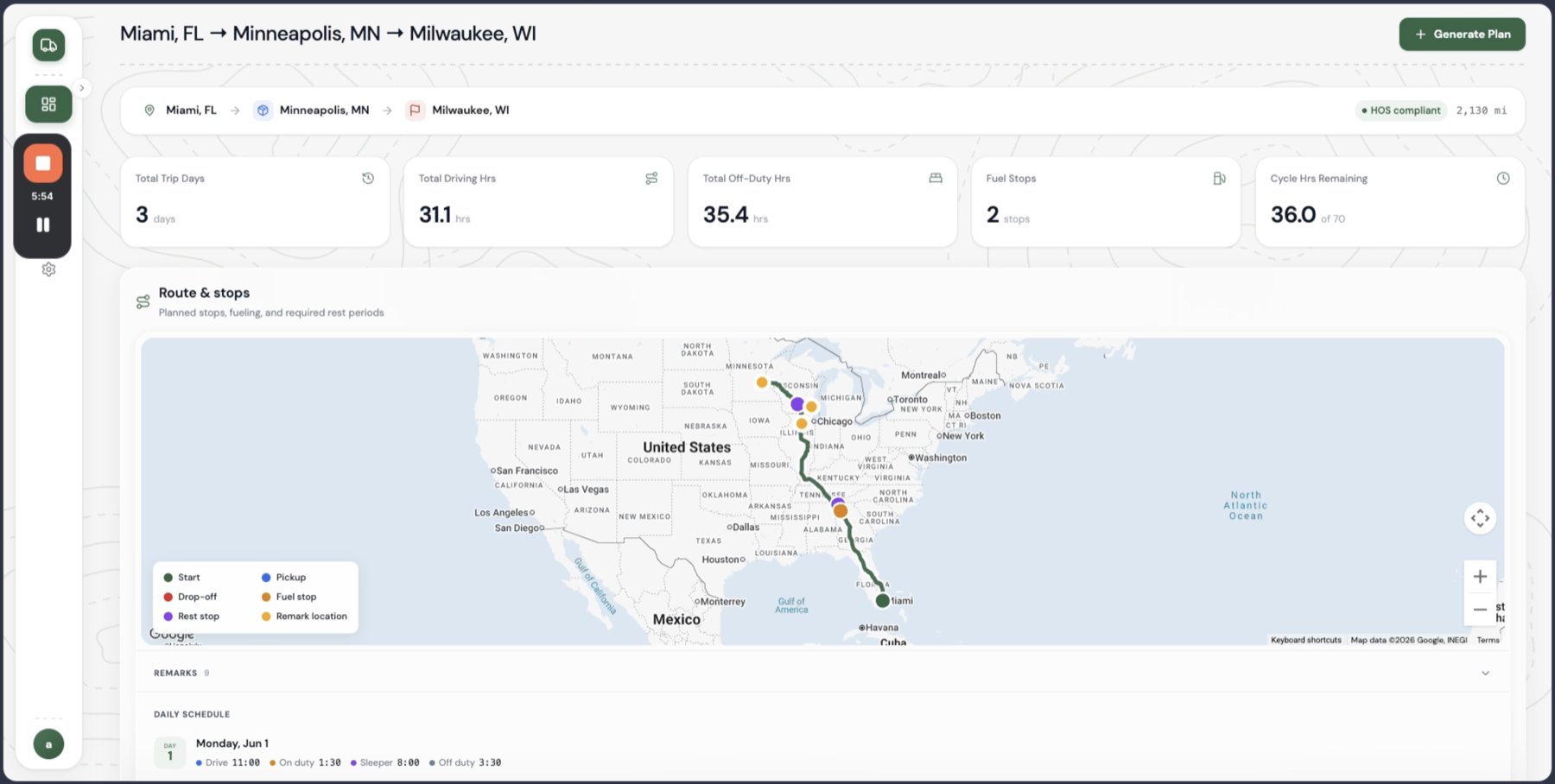
What a compliant day actually looks like.
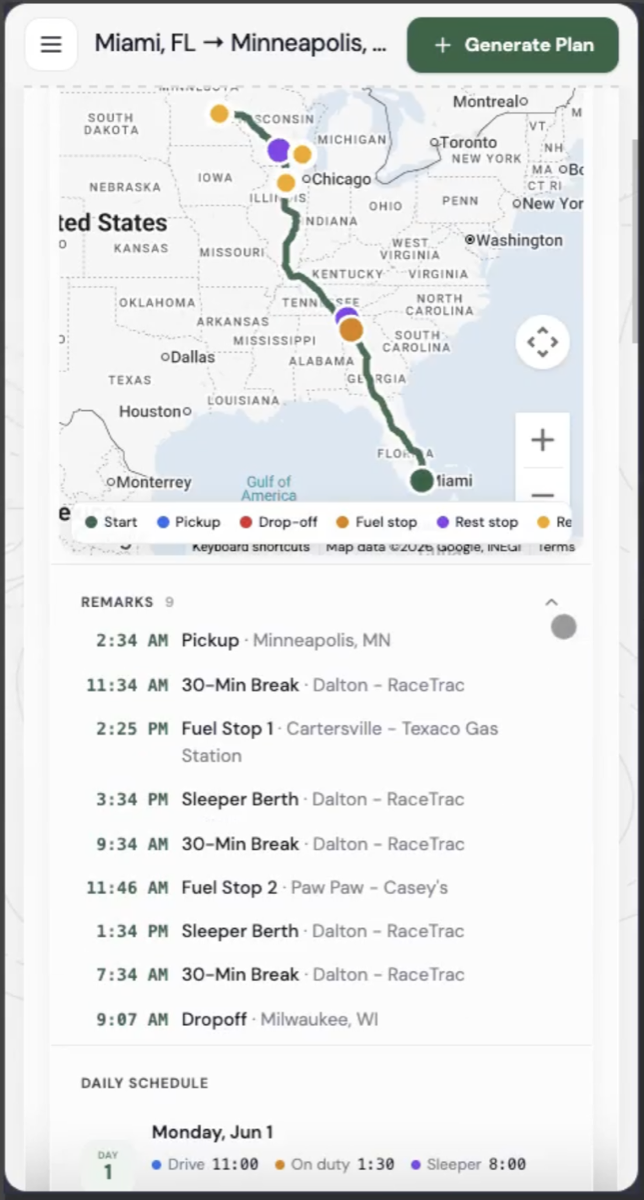
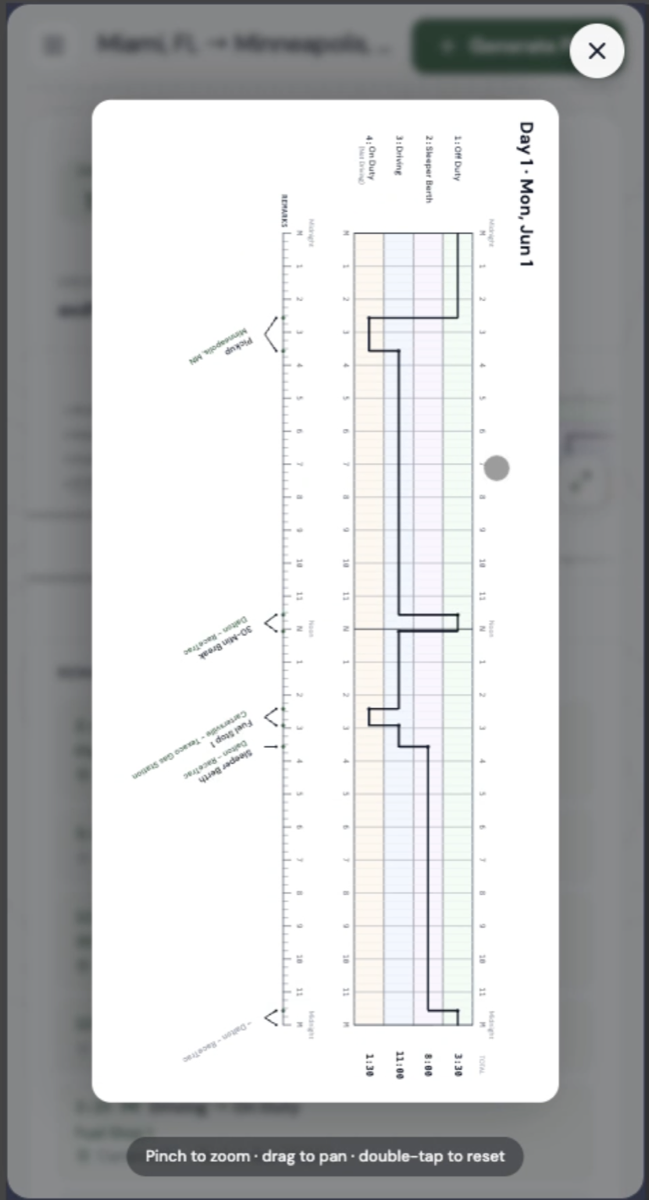
Day 1 of the Miami → Milwaukee plan, as the engine schedules it: 11 driving hours split by the mandatory break, then a full 10-hour reset before the next shift.
Driving stops the moment the 11-hour or 14-hour clock says so — whichever runs out first.
The 30-minute break is inserted after 8 cumulative driving hours, snapped to a real rest area.
Driving hours come from the map provider's actual route duration for the selected route — not a flat speed assumption. The HOS engine is pure logic layered on real routing data, which is why its numbers survive contact with a real map.
Choosing a route
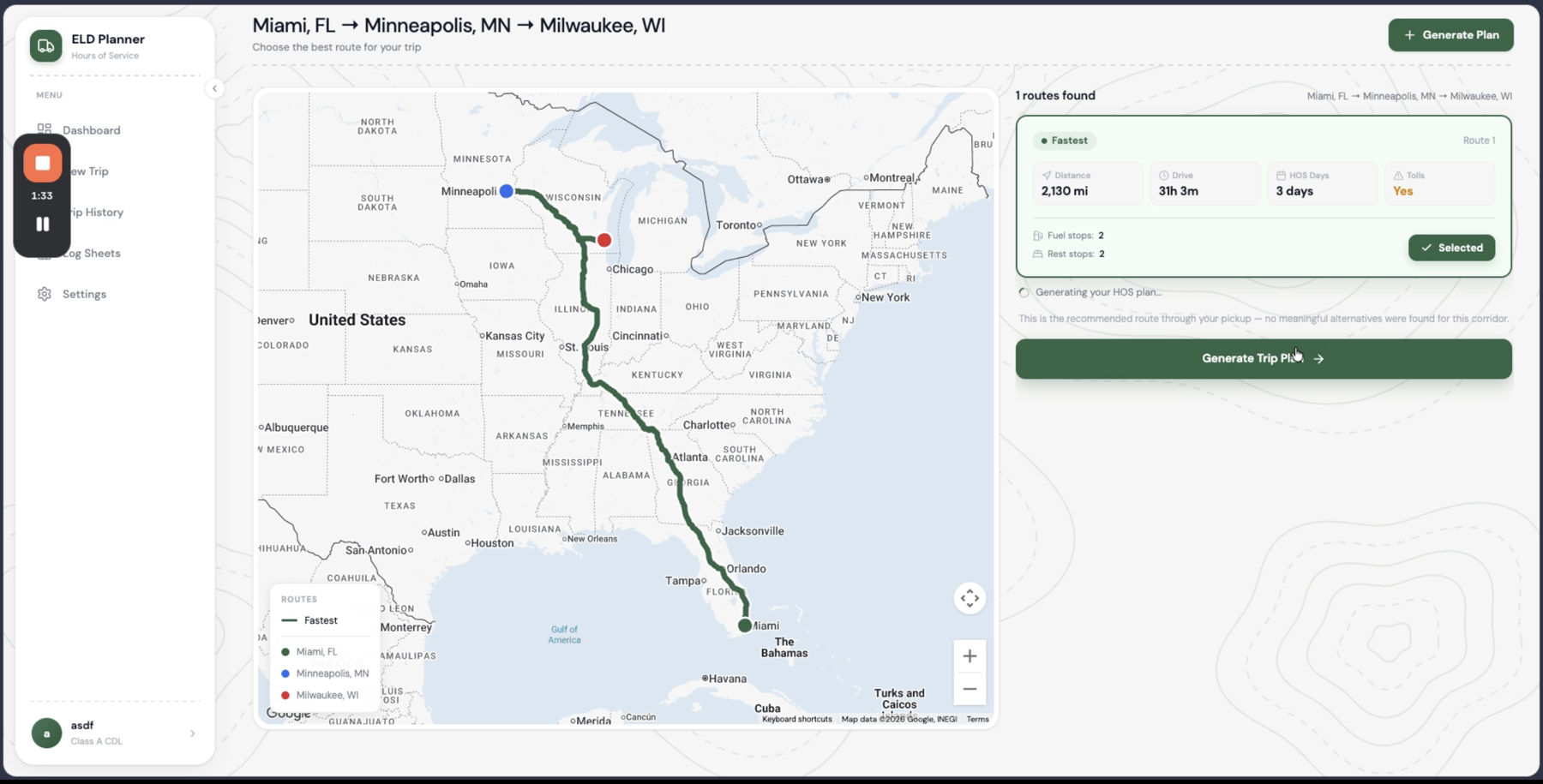
Before anything is planned, the driver picks the route. The app requests fastest, no-tolls, and alternate options, and scores each one with distance, drive time, the number of HOS days it will cost, and whether tolls apply. Pick a different route and the whole plan — stops, logs, summary — recalculates for it.
Stops are real places
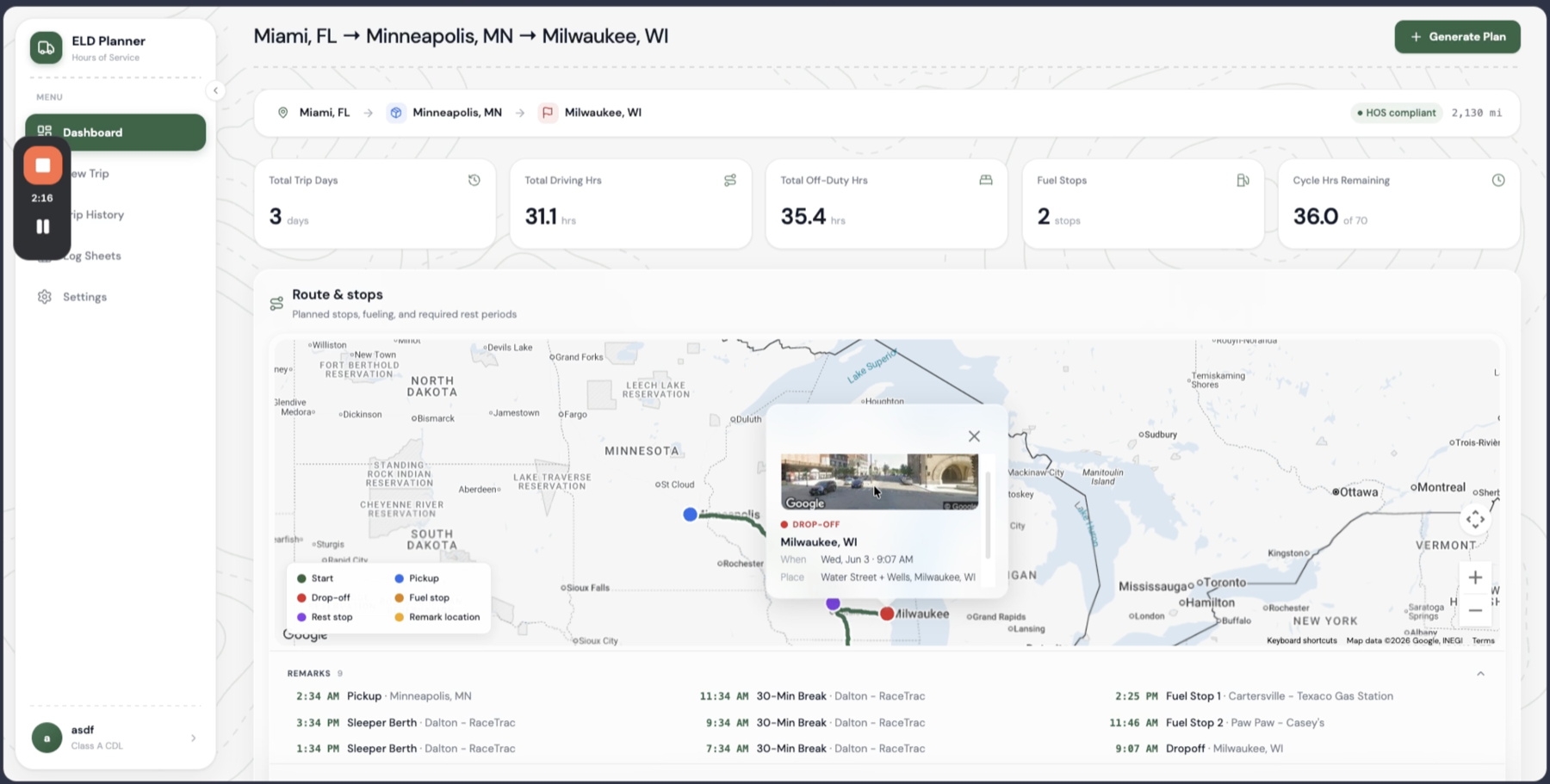
A plan you can't follow is worthless, so stops are never abstract dots on a polyline. Fuel stops are placed so that no leg exceeds 1,000 miles, then snapped to the nearest real gas station via the Places API. Rest stops land wherever a federal limit forces a reset, and snap to nearby truck stops and rest areas. Click any stop and you get its name, address, scheduled time — and a street-level preview of the actual location.
Drawing the log sheets
The deliverable a DOT inspector actually cares about is the daily log. The app draws the FMCSA duty-status grid itself — Off Duty, Sleeper Berth, Driving, On Duty — as one continuous line across the 24-hour day, exactly the way a driver would draw it by hand.
Drawn as SVG, not photographed.
One sheet per day, duty-hour totals on the right, and a remarks timeline naming the place of every status change.
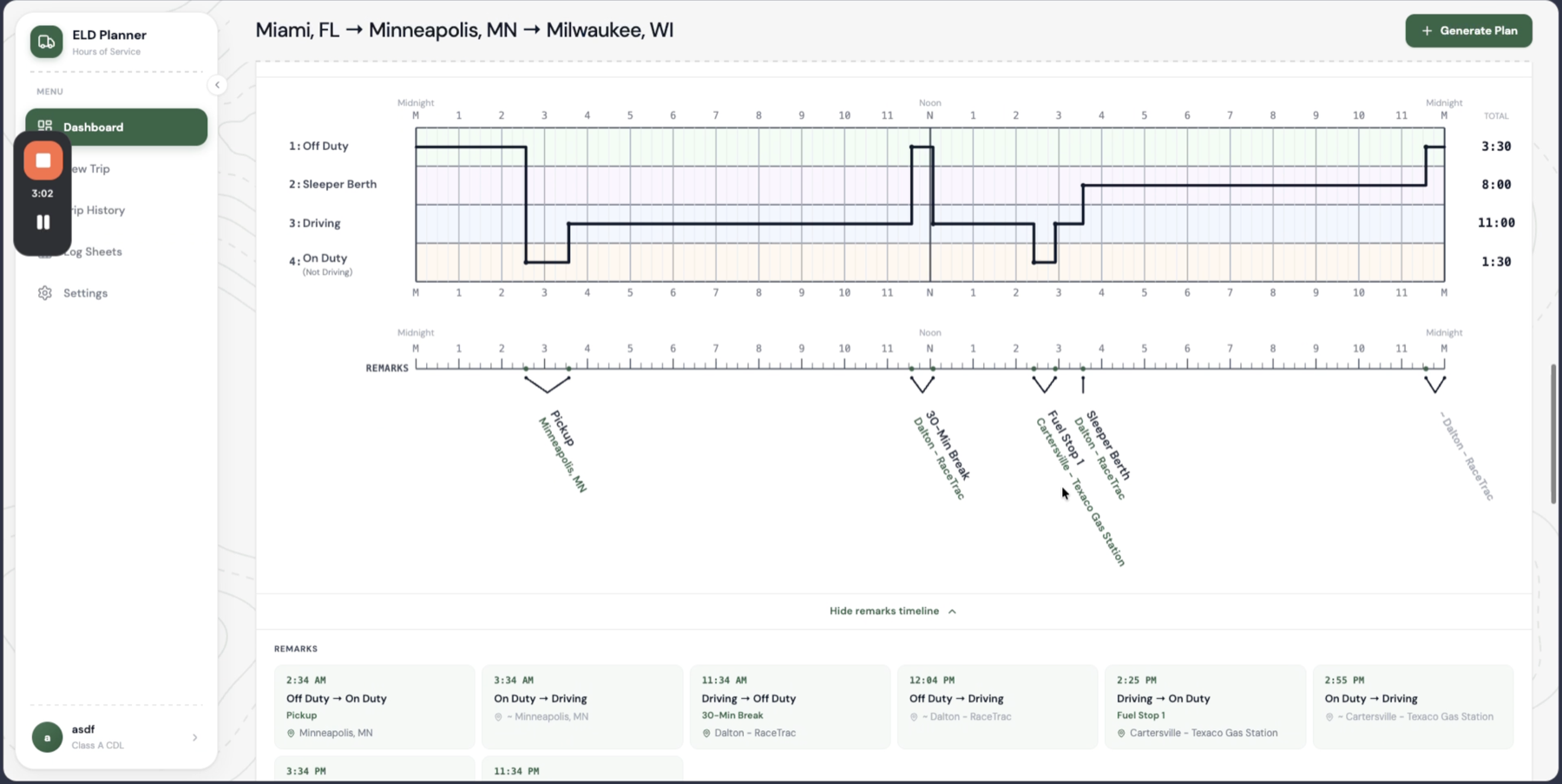
The grid is vector SVG — it stays crisp at any zoom and prints cleanly to PDF.
Longer trips emit one sheet per day, with cycle hours carried across days.
Built for the cab
Drivers don't plan trips at a desk. On phones the sidebar collapses to a drawer, layouts stack, and the log sheets open in a dedicated viewer — pinch to zoom, drag to pan, double-tap to reset — so a full day's grid stays legible on a five-inch screen.
Under the hood
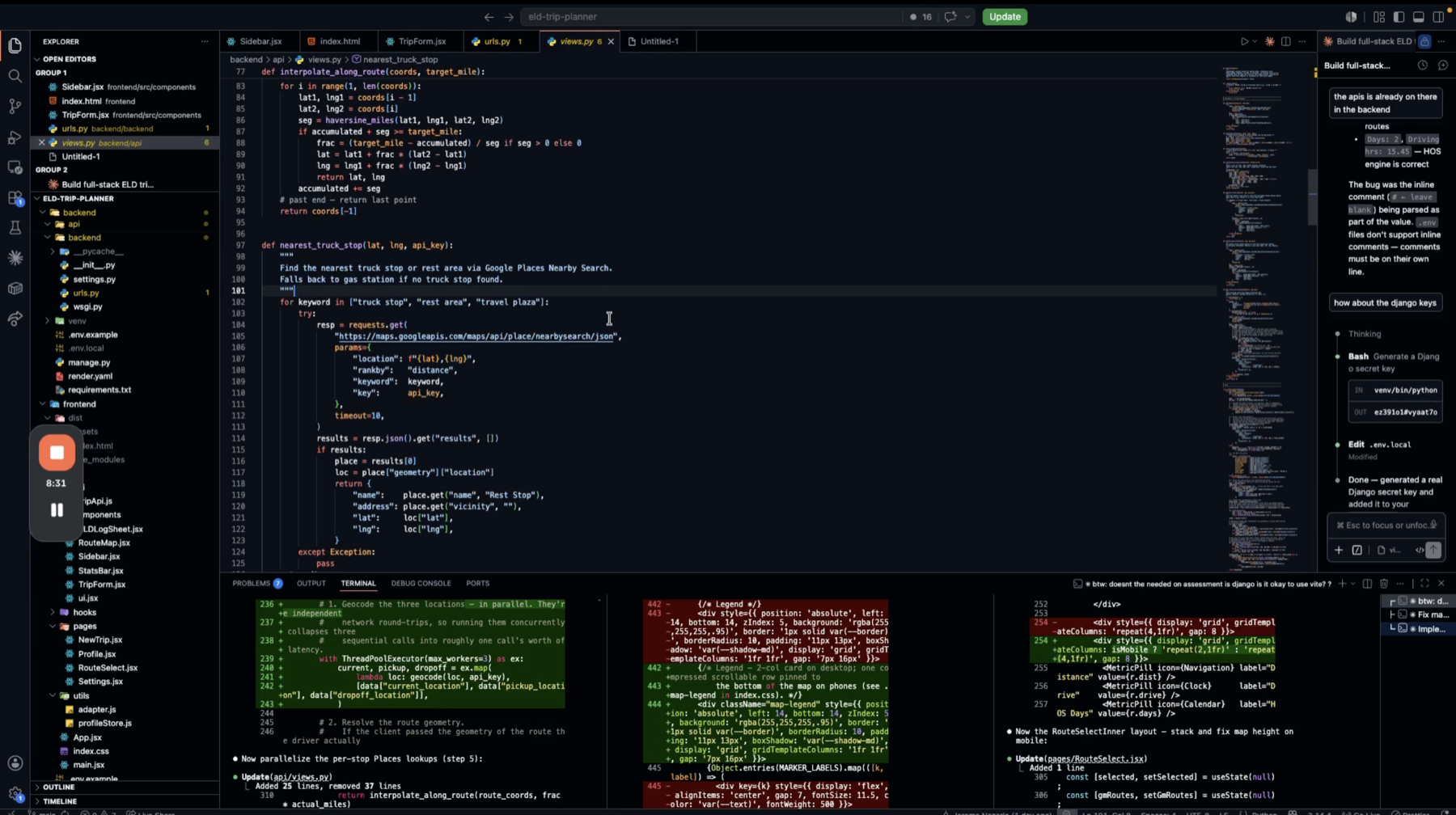
A trip plan needs three network round-trips before the HOS engine can even start: geocoding, routing, and Places lookups. Run sequentially they'd stack into seconds of latency, so they run in parallel — a ThreadPoolExecutor collapses three calls into roughly one call's worth of waiting, and the per-stop Places lookups are parallelized the same way.
Three network calls, one call's worth of waiting.
Geocoding, directions, and per-stop Places lookups fan out of the request in parallel and merge into the HOS engine — which is pure logic and adds no I/O of its own.
No database — each request is a pure input → output calculation.
Per-IP rate limiting (10 req/min), validated and bounded inputs, no secrets in the repo.
The code itself is commented throughout — future debugging starts from why a thing is done, not just what it does.
Keeping it warm
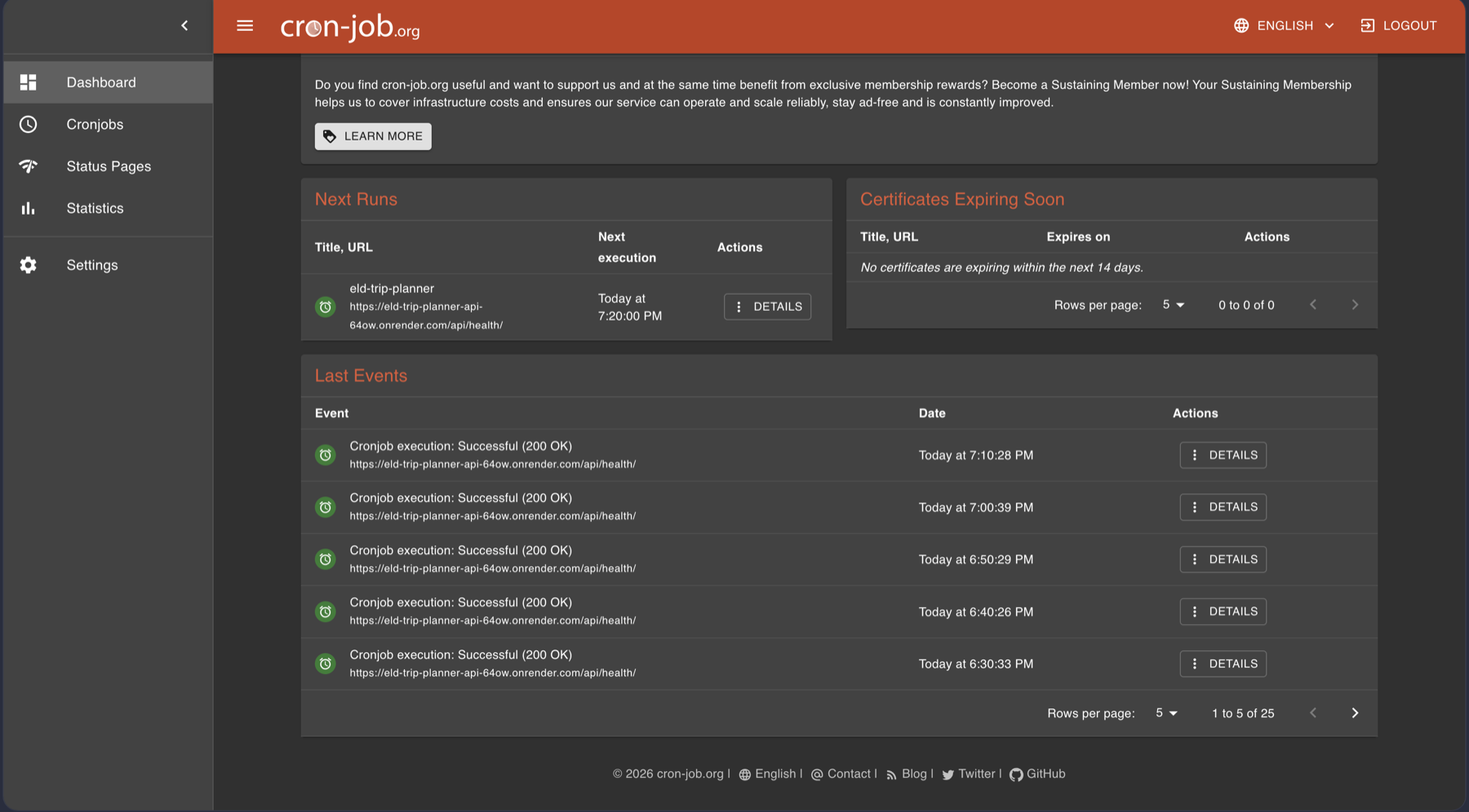
The API lives on Render's free tier, which spins services down when idle — and a cold Django boot can cost the first visitor half a minute. The fix costs nothing: a cron-job.org monitor pings the /api/health/ endpoint every ten minutes, around the clock. The service never sleeps, so no real user ever pays the cold-start tax.
What comes next
The assessment scope is deliberately tight — US trips, property-carrying drivers, no adverse-conditions exceptions — and the architecture leaves room to grow: the HOS engine is pure logic, so team driving, split sleeper-berth provisions, or Canadian cycle rules would slot in without touching the routing layer.